Turn a messy transcript into clean scenes.
Raw transcripts come back chopped into dozens of tiny fragments. Smart Scenes reads your video and regroups it into meaningful scene blocks by topic and pacing, so you can rearrange and trim your story like paragraphs in a doc.


Before & after
One toggle. A readable story.
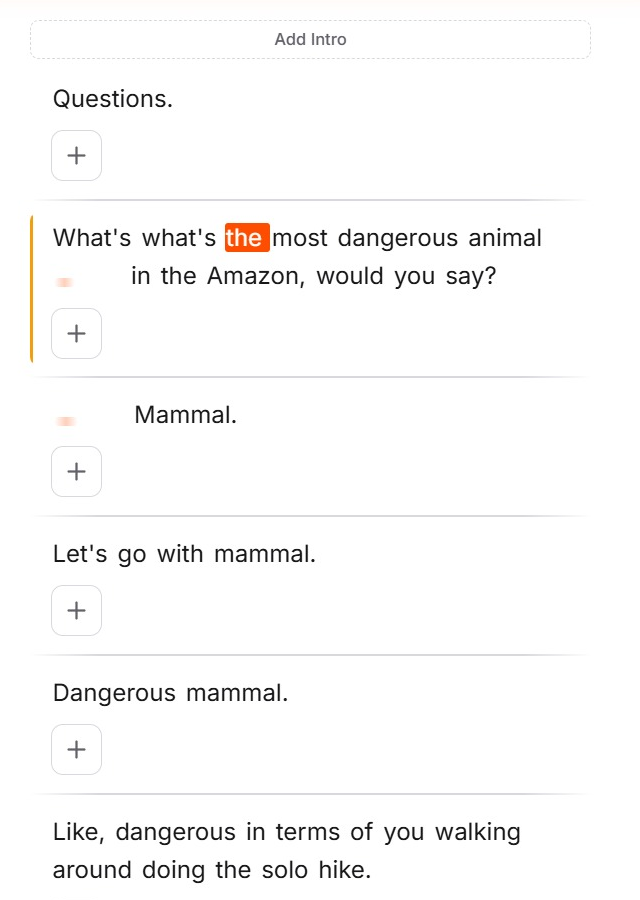
Same video, same transcript. On the left, every short phrase is its own block. On the right, Smart Scenes has grouped them into scenes you can actually work with.
Dozens of choppy fragments. Hard to scan, tedious to rearrange.
Related lines merged into topic blocks. Edit them like paragraphs.
How it works
Smart by default.
01 Flip one switch
Open the AI Features panel and turn on Smart Scenes. That's the entire setup, no settings to tune.
02 AI reads for meaning
It analyzes topic and pacing, not just pauses or silence, to find where one idea ends and the next begins.
03 Fragments become scenes
Related lines merge into clean blocks. Your choppy transcript turns into a handful of editable scenes.
04 Edit like paragraphs
Rearrange, trim, or cut whole scenes the way you'd move paragraphs in a doc. Non-destructive, fully reversible.
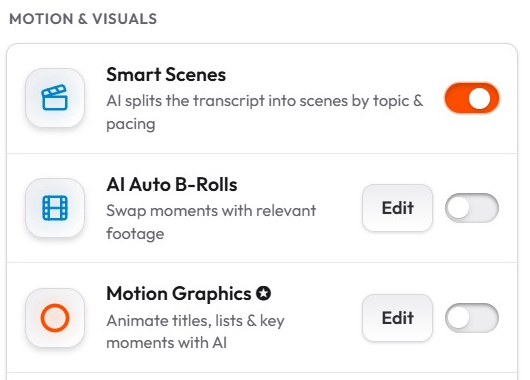
Splits long takes into meaningful scene blocks.
Detects topic and pacing changes, not just pauses.
Rearrange and trim scenes like paragraphs.
Non-destructive, so restructure without re-cutting.
One toggle, no settings to configure.
Runs in your browser, with nothing to install.
FAQ
Questions about Smart Scenes
Smart Scenes reads your transcript and splits the video into meaningful scene blocks based on topic and pacing changes — like chapters in a doc. Each scene can then be rearranged, trimmed, zoomed, or styled independently.
Silence detection only finds pauses. Smart Scenes understands the content: it splits where the topic or energy actually shifts, so scene boundaries land where a human editor would put them.
Yes. A scene toolbar lets you split a scene at any word or merge adjacent scenes, so the AI's structure is a starting point, never a constraint.
Add per-scene zooms and transitions, reorder scenes to restructure the story, trim weak ones, or select a scene in the transcript and cut it into its own clip.
No. Scenes are structure on top of your footage — nothing is re-encoded or thrown away, and every change is undoable.
More features
Stop scrubbing. Start structuring.
Upload a video and let Smart Scenes organize your story for you. Free, in your browser, no editing skills needed.
Start free