Edit your video by editing the words.
captionrich turns your video into a document. Highlight a sentence to cut it, drop in B-roll, GIFs, motion graphics, and captions, and the footage re-cuts itself to match. No timeline. No editing skills.
The big idea
Your transcript is your timeline.
Delete a word and the footage disappears with it. Rearrange a sentence and the clips reorder. You read instead of scrub, type instead of trim, and the edit is always exactly as long as the words you kept.
How it works
Four moves. A finished video.
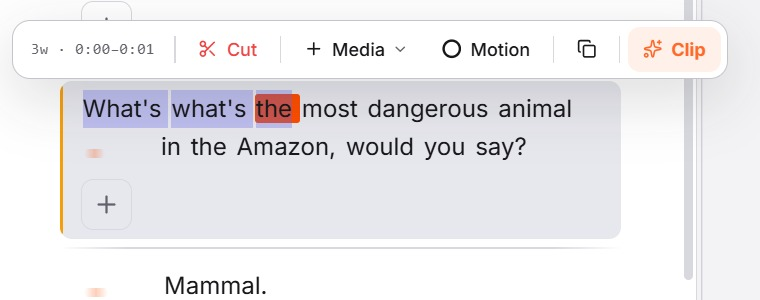
Select the words
Highlight any word, sentence, or whole paragraph in the transcript. A toolbar floats in with everything you can do to that selection.
Cut, and the footage follows
Hit Cut, or just delete the text, and the matching footage is removed instantly. The video re-renders tighter, no timeline scrubbing required.
Delete text = cut video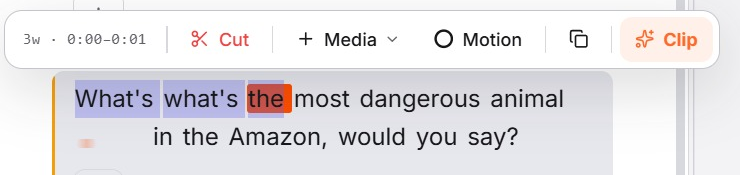
Drop in B-roll, GIFs & images
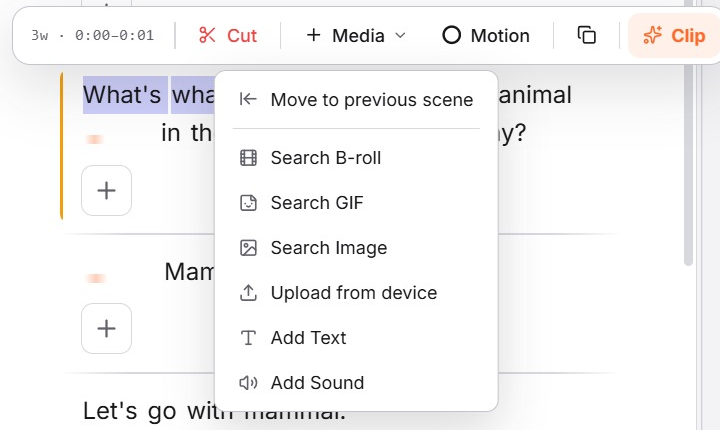
Open the Media menu on any moment and search B-roll, GIFs, or images, or upload your own. Picked footage layers onto exactly the words you chose.

Add AI motion graphics
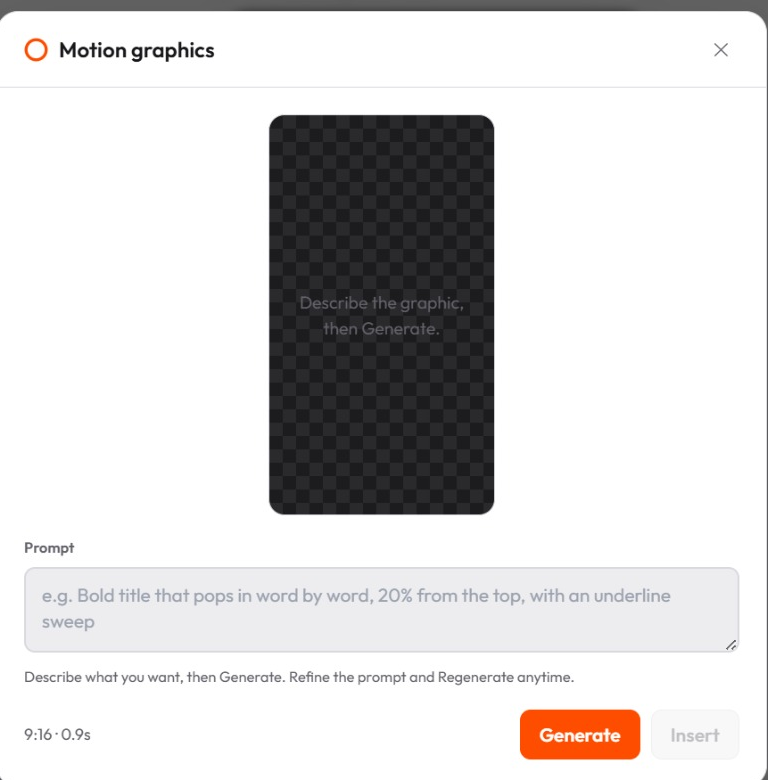
Describe the graphic you want, like a bold animated title, a callout, or a kinetic shape, and AI designs it to fit your moment. Edit the on-screen text in a click.
Edit the video by selecting and editing its transcript.
Delete a word or sentence and the footage is cut to match.
Cut, trim, and rearrange clips without scrubbing a timeline.
Layer in B-roll, GIFs, images, sound, and captions on any moment.
Generate AI motion graphics from a single text prompt.
Runs entirely in your browser, with nothing to install.
FAQ
Questions about text-based editing
A text-based video editor turns your video into an editable transcript. Instead of scrubbing a timeline, you edit the text — delete a sentence and the matching footage is cut automatically. captionrich transcribes your video with word-level timing, so every edit in the text maps precisely to the video.
Upload your video and captionrich transcribes it automatically. From there, select any words to trim, copy, or cut them; delete text and the video cuts to match; click a word to jump the playhead there. You can also drop B-roll, sound effects, or motion graphics onto any word.
No. If you can edit a document, you can edit a video in captionrich. There's no timeline scrubbing, no keyframes, and no export settings to learn — the AI handles cuts, captions, and pacing while you work in plain text.
Yes. A waveform timeline sits under the preview for precise work — trim cut boundaries, retime words in 60ms steps, and restore any cut with a tap. Text editing and the timeline stay perfectly in sync.
Yes. The Free plan includes 3 videos per month, up to 3 minutes each, with no watermark. It runs entirely in your browser — nothing to install.
More features
If you can edit a doc, you can edit a video.
Upload a video and start cutting by typing. Free, in your browser, no editing skills needed.
Start free