How coaches can turn one video into a week of content
By captionrich team · Published November 26, 2026 · 10 min read
Content repurposing for coaches works best as a weekly system built on one recording. Record a 20 to 30 minute teaching video that answers one client question in clear segments. Publish it whole on Monday, then spend the week cutting it into three 30 to 60 second shorts, one captioned LinkedIn video, a carousel of the framework, and an email to your list. Every piece comes from the same transcript, so you think once and edit the rest in short sessions.
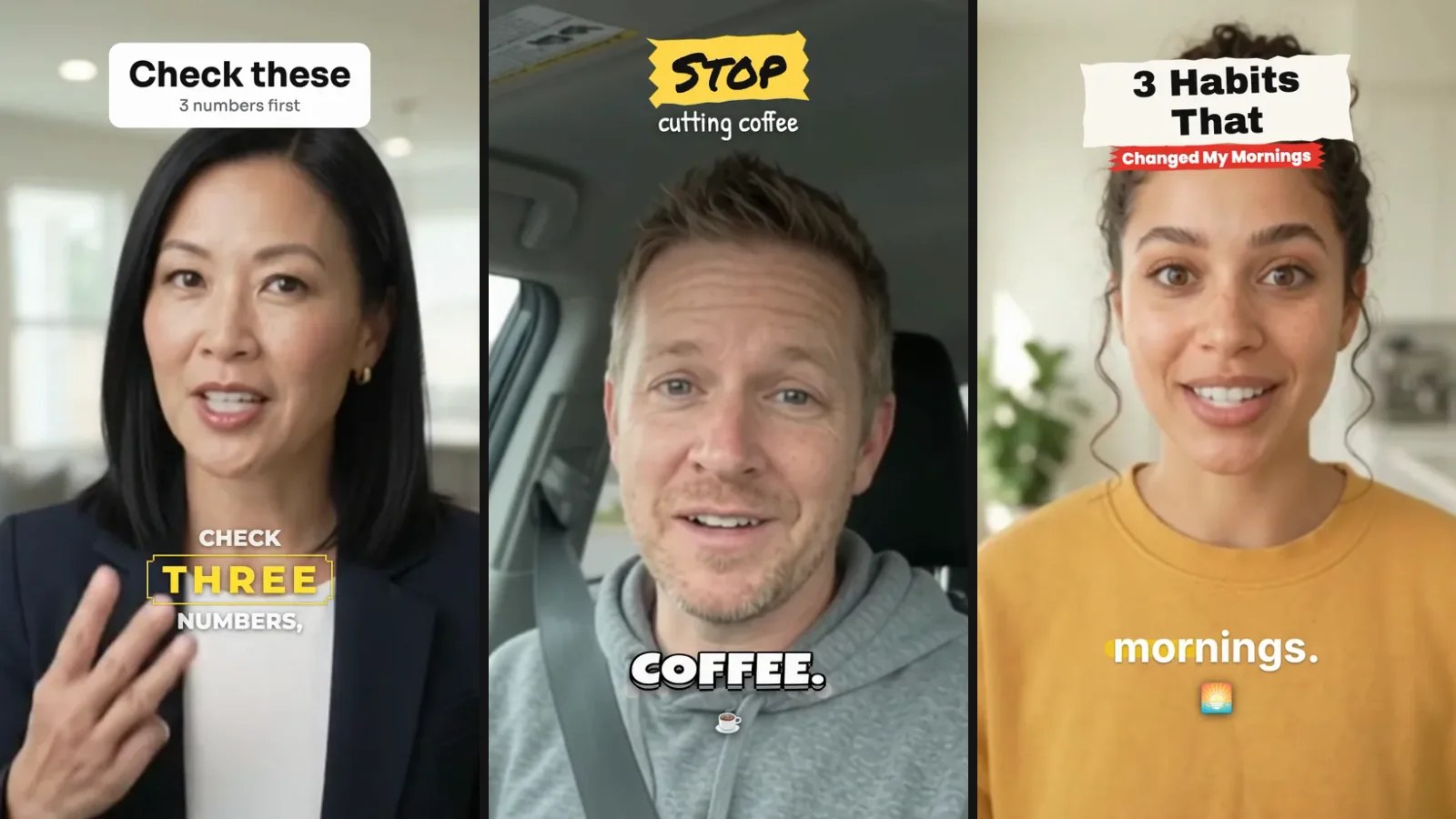
Most coaches know they should post every day and cannot record every day. The fix is to stop treating each post as its own project. Record once a week, on purpose, in a shape that cuts cleanly, then repurpose that one video into multiple posts across the week. This post is the system: the recording outline, the day-by-day calendar, and an honest list of which tools do which job.
It is not a clipping tutorial. For the detail of finding moments, cutting clips and reframing them, see how to turn a podcast into short clips; the same method applies to a teaching video.
The one-video week at a glance
Here is the week for a coach working alone, starting from a 25-minute teaching video recorded on Sunday or Monday morning. The times are our planning estimates for someone who has done it a few times, not measurements; the first week takes longer.
| Day | Asset | Source moment | Tool | Time to budget |
|---|---|---|---|---|
| Mon | Full lesson video on YouTube or your course platform | The whole recording | A timeline editor or YouTube Studio's trim, then chapters and captions | 45 to 60 min |
| Tue | Short 1, 30 to 60 s, vertical | The best Q&A answer | captionrich Auto Clipper or the editor | 15 min |
| Wed | LinkedIn video, 1 to 3 min | One step of the framework | captionrich editor for captions and cuts | 20 min |
| Thu | Email to your list | The opening question, the framework, the recap | Your email tool, drafted from the transcript | 30 min |
| Fri | Short 2 | The client story | captionrich | 15 min |
| Sat | Carousel or 3 to 5 quote cards | The framework steps and your best lines | Canva, Google Slides or another design tool | 30 to 45 min |
| Sun | Short 3 | The common mistake | captionrich | 15 min |
That adds up to about three hours spread over the week, plus an hour to set up and record. Swap days to fit your audience: if your clients live on LinkedIn, give it two slots and drop a short.
How to record a video that is built to be cut
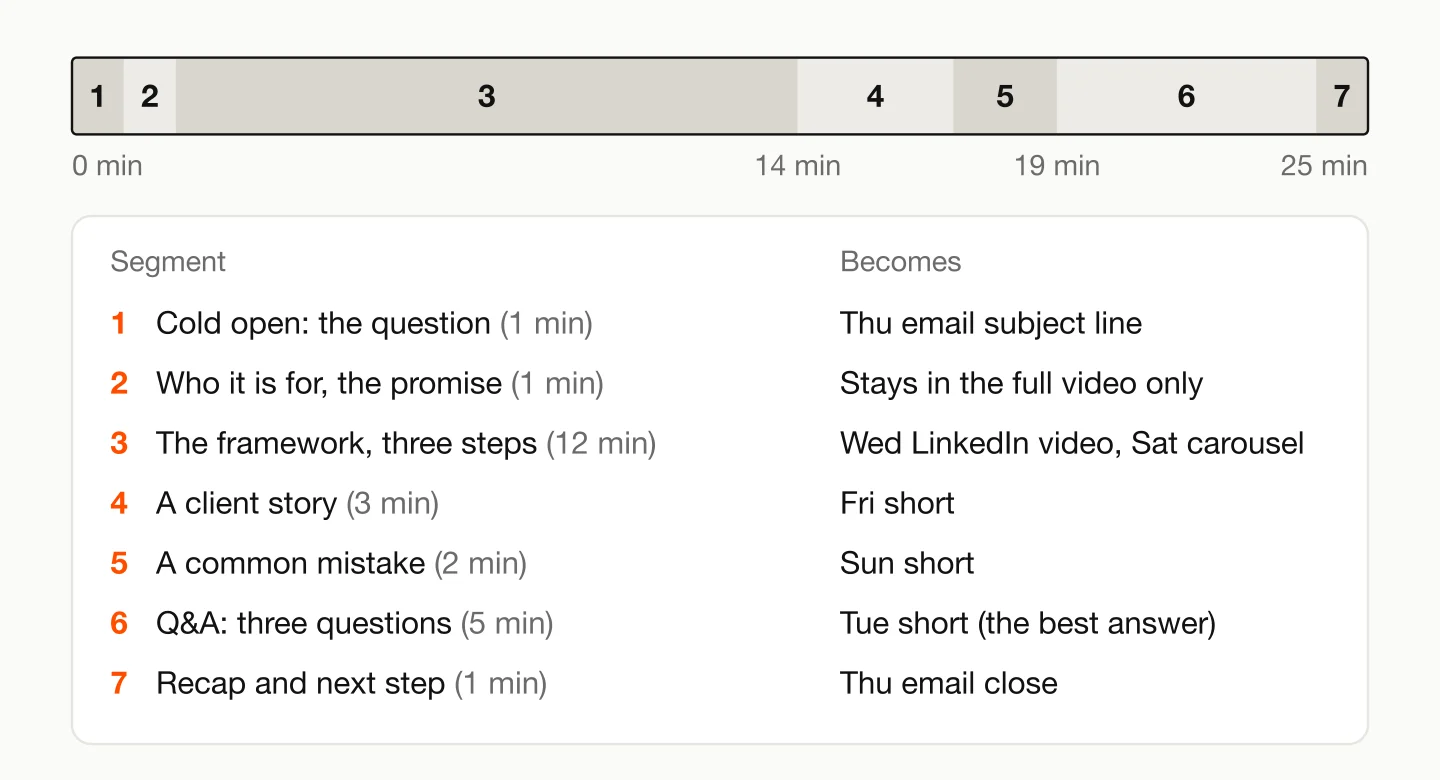
The week only works if the recording has clean pieces in it. A loose 30-minute ramble gives you one long video and nothing to clip, because every good line depends on the five minutes before it. Use an outline like this one and keep each segment self-contained.
Recording outline template (25 minutes)
| Segment | Length | What to say | Becomes |
|---|---|---|---|
| 1. Cold open | 1 min | The client question in one sentence, then why it matters. "Most of my clients ask how to raise their rates without losing people. Here is the method I use." | The email subject line and the first seconds of the long video |
| 2. Promise | 1 min | Who this is for and what they can do by the end. | Stays in the full video |
| 3. Framework | 12 min | Three steps, about 4 minutes each. Open each with a sentence that names the step ("Step two is..."), so any step can be cut out alone. | The LinkedIn video (one step) and the carousel (all three) |
| 4. Client story | 3 min | One real example: where they started, what changed, the result. Get permission, or remove details that identify the client. | Short 2 |
| 5. Common mistake | 2 min | Advice you disagree with, and why. | Short 3 |
| 6. Q&A | 5 min | Three questions clients ask. Read each question out loud before you answer it. | Short 1, and spares for next week |
| 7. Recap and next step | 1 min | The method in one sentence, then one thing to do next, such as booking a call. | The email's closing lines |
Recording habits that make the cutting fast
- Repeat the question before every answer. "The question was how to price a group program" turns an answer into a clip that makes sense alone.
- Never refer back. "As I said earlier" ties a line to a moment the viewer of a short never saw. Say the point again in one sentence instead.
- Pause for a beat between segments. A clean gap is an easy cut point, by hand or for a tool.
- When you stumble, stop and restart the sentence. A full restart is easy to cut; a correction halfway through a sentence is not.
- Read only the cold open. Use a teleprompter for the first minute, where wording matters most, and talk through the rest from bullet points. The free teleprompter runs in your browser with no account.
- Frame for two shapes. If the long video is landscape and the shorts are vertical, leave room around you so a vertical crop does not cut your hands off. Our guide to recording a talking head video at home covers framing and light.
Day by day: how to make each piece
Monday: publish the full lesson
Keep the edit light. Trim the start and end, cut any long false start, and publish. You do not need a timeline editor for that: YouTube Studio can trim and cut a video after upload. Add chapters by listing timestamps in the description: YouTube's chapter rules say the first must be 00:00, you need at least three in ascending order, and each chapter must be at least 10 seconds long. Your outline segments are your chapters.
For captions, turn the recording into a transcript with the free video to text tool, which runs on your device and exports an SRT file you can upload to YouTube as a caption track. Keep the plain-text transcript too: the rest of the week is built from it.
Tuesday, Friday and Sunday: three shorts
Each short is one segment from the outline, cut to 30 to 60 seconds, reframed to vertical 9:16, with burned-in captions and a short text hook on the first seconds. Burned-in means the captions are part of the picture, so they show on every app.
On a paid plan, Auto Clipper does the cutting: upload the whole recording, ask for 3 to 5 clips at about 45 seconds, and it returns scored, captioned vertical shorts that each open as an editable project. Pro takes 5 long videos a month and Max Pro 10, so one recording a week fits either. On the Free plan, trim each moment out yourself and caption it in the editor, which takes 3 videos a month of up to 3 minutes each, so three shorts a week means a paid plan or another tool.
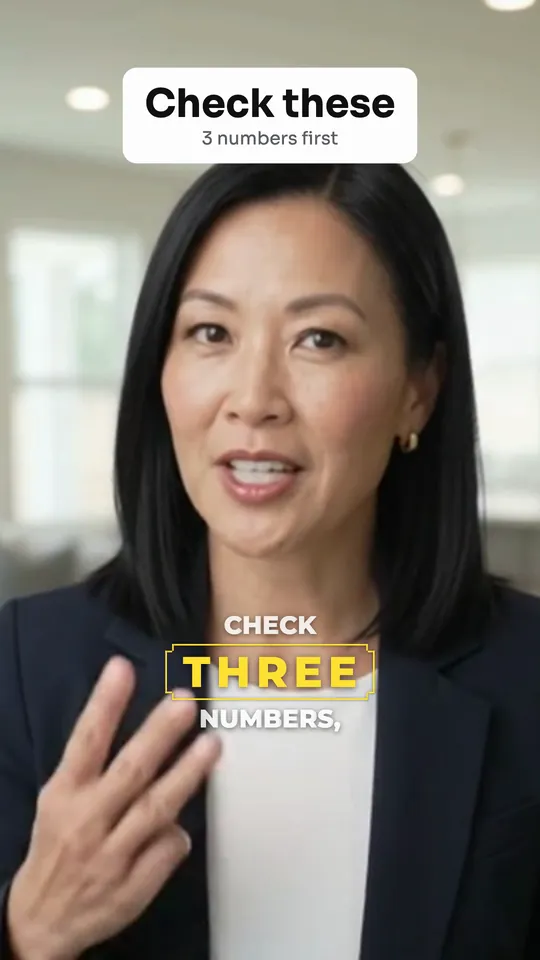
Use the same caption style on every short so a viewer recognises your clips before they read your name. If part of your audience speaks another language, AI Translate on Pro and Max Pro turns the captions into any of 50+ languages with the timing kept.
Wednesday: a LinkedIn video
Pick one framework step and post it natively, not as a YouTube link, so it plays in the feed. LinkedIn accepts feed videos from 3 seconds to 15 minutes and aspect ratios from 1:2.4 to 2.4:1, per its video help page, so the same vertical file uploads as it is. Cut the filler words, add clean captions, and write two or three lines of post text that state the step without the video. The full method is in how to add captions to LinkedIn videos.
Thursday: the email
Open the transcript and lift three things: the client question for the subject line, the framework for the body, and the recap for the close. Rewrite it for reading, since spoken sentences run long, and link to Monday's video for anyone who wants the full lesson. An AI writing tool can turn transcript sections into a first draft; edit it so it sounds like you.
Saturday: a carousel or quote cards
A carousel is a set of slides people swipe through. Give it one slide for the question, one per framework step, and one for the next step. Quote cards are single images of your best lines, which you can find fast by searching the transcript for phrases you know you said. On LinkedIn, a carousel is a document post: LinkedIn lets you upload a PDF, PPT or DOC file of up to 100 MB and 300 pages to a post.
What captionrich does in this system, and what it does not
captionrich covers the video work. The written and scheduling work needs other tools, and so does editing the full-length video:
| Job | captionrich | If not, use |
|---|---|---|
| Prompt for the cold open | Free teleprompter, no account | Not needed |
| Transcript of the full recording | Free video to text tool: TXT, SRT or VTT, made on your device | Not needed |
| Cutting shorts from the recording | Auto Clipper on Pro and Max Pro; trim and edit by hand on any plan | Not needed |
| Captions, hook titles, silence cuts | The editor, for videos up to 3, 4 or 7 minutes by plan (AI filler-word cuts on paid plans) | Not needed |
| Captions in other languages | AI Translate, 50+ languages, Pro and Max Pro | Not needed |
| Editing the full 25-minute video | No | DaVinci Resolve, CapCut, Premiere Pro, or YouTube Studio's trim |
| Carousels and quote cards | No | Canva, Google Slides, Figma |
| Writing the email | No | Your email tool, drafted from the transcript |
| Scheduling and posting | No: you export MP4 files and post them | Each platform's own scheduler, or a scheduling tool |
The page for coaches shows how the editor fits a coaching business in more detail.
Mistakes that break a repurposing system
- Recording without an outline. Without segments there is nothing clean to cut, and the week turns into searching.
- Answers that depend on earlier context. A great answer that starts with "so, like I said" is unusable as a short.
- Polishing every piece. The system works because each piece takes minutes. Pick one caption style and one carousel template and reuse them.
- Posting the wrong shape. A landscape clip in a vertical feed shows as a small strip with bars around it. Reframe each piece for where it goes.
- No next step. Each piece should point somewhere: the full video, your list, or a call.
- Throwing old recordings away. Last quarter's Q&A answers are next quarter's shorts. Keep the transcripts and search them when a week is thin.
Is one video a week enough?
For a solo coach, usually yes, because the limit is rarely ideas. It is time and energy on camera. One focused recording gives you a post every day, a reason to email your list, and a library that grows each week. If a week's recording is thin, use one strong segment for two days and fill the gap with a spare Q&A answer from an older session.
Frequently asked questions
- How often should a coach post on social media?
- There is no official number. Pick a schedule you can keep for months. One recording a week can feed a post every day, or three good posts if daily is too much.
- How long should the weekly recording be?
- Twenty to thirty minutes gives enough segments for a full week. A ten-minute video still works for one long post and two or three shorts.
- Can I repurpose a coaching call or a webinar?
- Yes, if everyone on it agreed to being recorded and shared. Clip the parts where you teach, and leave out client details unless the client has said yes in writing.
- Can I post the same short on TikTok, Reels and YouTube Shorts?
- Yes. Export one vertical file and upload it to each app directly. Keep it to 3 minutes or less: Shorts stop at 3 minutes, and Instagram does not recommend longer reels to new audiences.
- Does captionrich write emails or carousels?
- No. It handles the video side: transcripts, clips, captions and translated captions. Draft the email and carousel from the transcript in your email and design tools.
- What do I need to record the weekly video?
- A phone or webcam, a microphone close to your mouth, a window or a light in front of you, and an outline. Expensive gear matters less than clear sound and a plan.