How to read a script while looking at the camera
By captionrich team · Published November 26, 2026 · 11 min read
To read a script while looking at the camera, put the text as close to the lens as you can, in a narrow column just below it, and sit as far back as the text size allows. Set the scroll to your natural speaking pace, write the script in short spoken lines, and rehearse it aloud twice. Viewers notice your eyes moving sideways far more than a slight downward glance, so a narrow column under the lens beats a wide one.
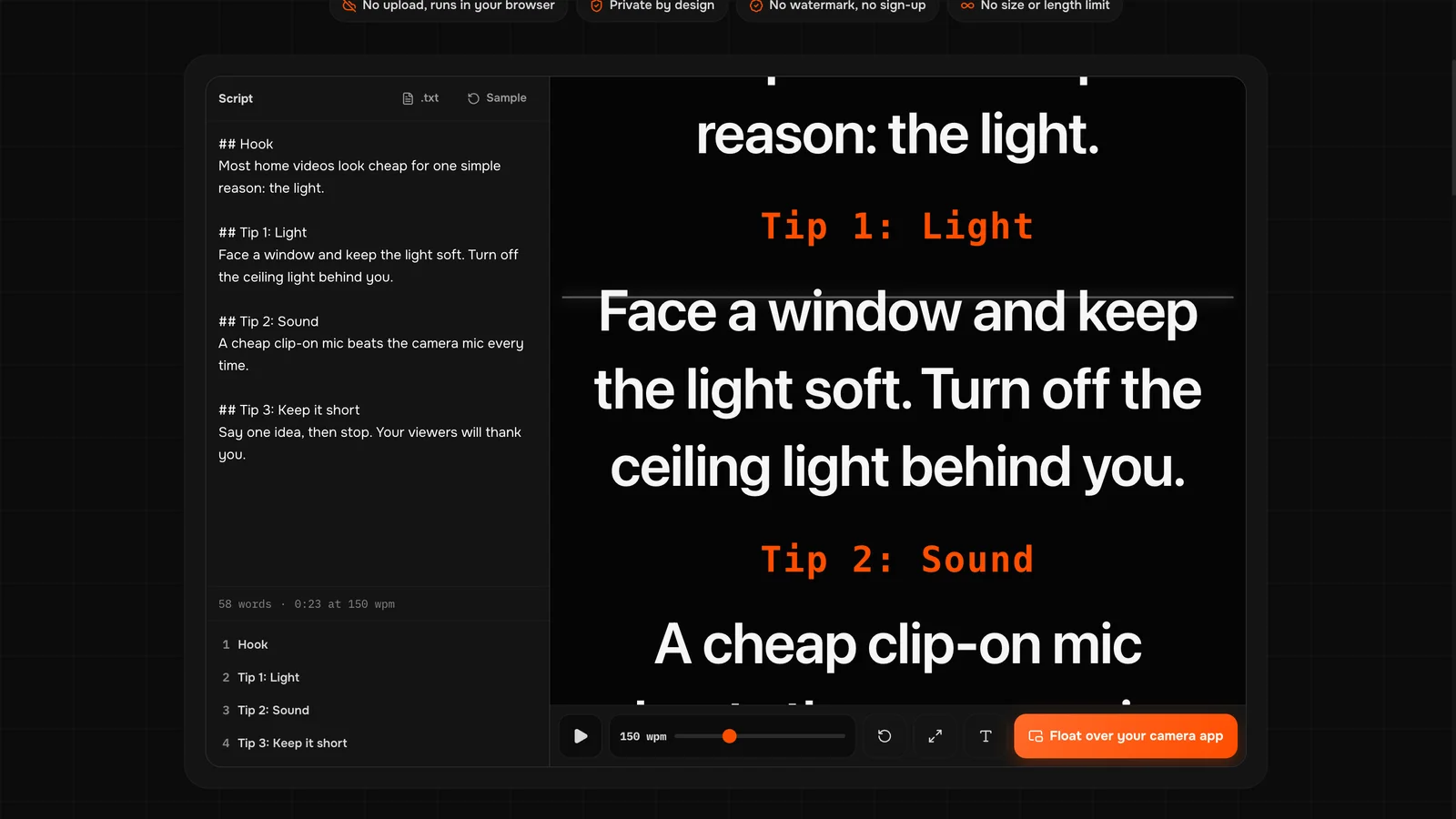
A script makes a video tighter, and it is also the fastest way to look like you are reading a statement. The giveaway is rarely the words. It is the eyes: they sweep left and right along each line, and they sit a little away from the lens for the whole take. Both are geometry you can measure and shrink, so this guide starts with the setup, then the numbers behind it, then pace, script writing and rehearsal.
The short version
- Put the text right under the lens. On a laptop, move the script window up against the webcam. On a phone, keep the text at the top of the screen, next to the front camera.
- Make the column narrow. Five to seven words per line keeps your eyes close to the centre.
- Move back. Sit as far from the screen as the text size allows. Distance shrinks every eye movement.
- Match the scroll to your pace. Time yourself, set the speed, and pause the scroll between sections.
- Write the script to be spoken. Short sentences, one idea per line, words you would actually say.
- Rehearse twice, then record. Read it aloud, rewrite the lines you stumble on, and watch a test clip with the sound off.
Why reading shows on camera: the eye-movement numbers
In a 2002 study at Stanford, Milton Chen measured how far a person on video can look away from the camera before viewers stop feeling looked at. In his experiments, eye contact was lost once the speaker looked about 1 degree to the left, right or above the camera, while looking below it was tolerated far more. He suggested keeping the angle between the camera and the eyes on screen under 5 degrees, with the camera above. For reading a script, that gives two rules: sideways movement is what gives you away, and text just below the lens is the safe place.
Both angles are simple to work out. With your eyes a distance d from the screen, reading to the end of a line in a column w wide turns your eyes by θ = atan((w / 2) / d). Reading a line that sits h below the lens tilts them down by φ = atan(h / d). The diagram at the top of this page shows both.
Sideways swing to the end of a line, in degrees
| Text column width | 40 cm away (phone in hand) | 60 cm (laptop) | 1 m | 2 m |
|---|---|---|---|---|
| 6 cm (a phone held upright) | 4.3° | 2.9° | 1.7° | 0.9° |
| 10 cm (a narrow floating window) | 7.1° | 4.8° | 2.9° | 1.4° |
| 15 cm | 10.6° | 7.1° | 4.3° | 2.1° |
| 20 cm | 14.0° | 9.5° | 5.7° | 2.9° |
| 30 cm (a laptop screen, full width) | 20.6° | 14.0° | 8.5° | 4.3° |
| 50 cm (a 24-inch monitor, full width) | 32.0° | 22.6° | 14.0° | 7.1° |
How far below the lens the reading line can sit
| Your distance from the screen | 40 cm | 60 cm | 1 m | 2 m |
|---|---|---|---|---|
| Reading line no more than this far below the lens (5° limit) | 3.5 cm | 5.2 cm | 8.7 cm | 17.5 cm |
Calculated with the formulas above. The 5 degree limit is Chen's conservative figure for looking below the camera; rounded to one decimal place.
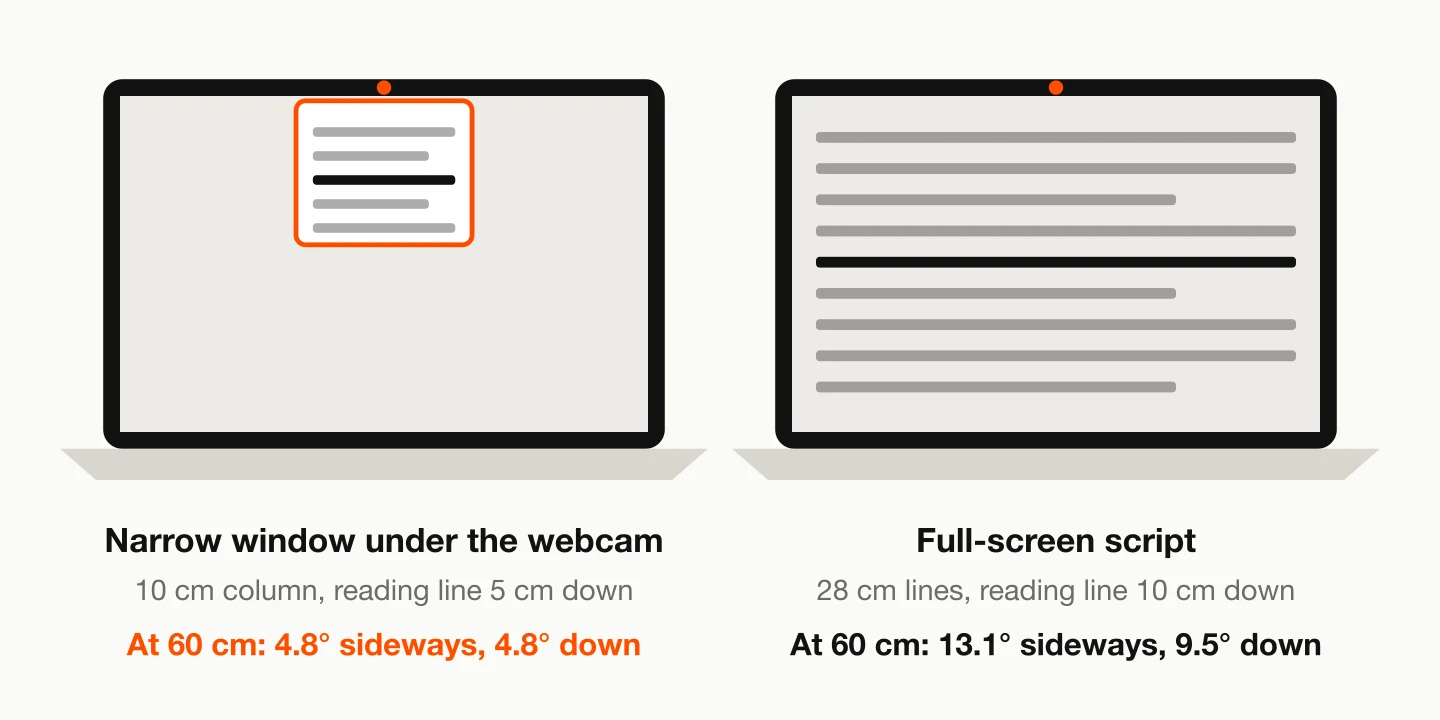
Three things follow from the numbers:
- At a desk you cannot hide sideways reading completely. Staying under 1 degree at 60 cm would need a column about 2 cm wide, roughly two words. The aim is to shrink the swing, not to remove it.
- Below the lens is forgiving. Keep the reading line within about a twelfth of your distance from the screen below the lens: about 5 cm at a laptop.
- Distance is the strongest lever. Every angle roughly halves when the distance doubles. Studio teleprompters go further and reflect the text on glass directly in front of the lens, so the text and the lens sit in the same place.
Where to put the teleprompter
| Setup | Eye movement | Best for | Catch |
|---|---|---|---|
| Glass teleprompter over the lens | Smallest: the text sits in front of the lens | Long scripts, studio shoots | Needs a rig and mirrored text |
| Phone front camera, text at the top of the screen | Small at arm's length | Vertical videos on a phone | Small text, and the front camera is often the weaker one |
| Floating window under a laptop or desktop webcam | Moderate; depends on width | Webcam videos, Zoom, OBS | Keep it narrow and pushed up to the webcam |
| Tablet or second screen beside the camera | Large and sideways | Not recommended | Every line reads as looking away |
| Phone rear camera | You cannot see the screen | The best picture | Needs a glass rig or a second device under the lens |
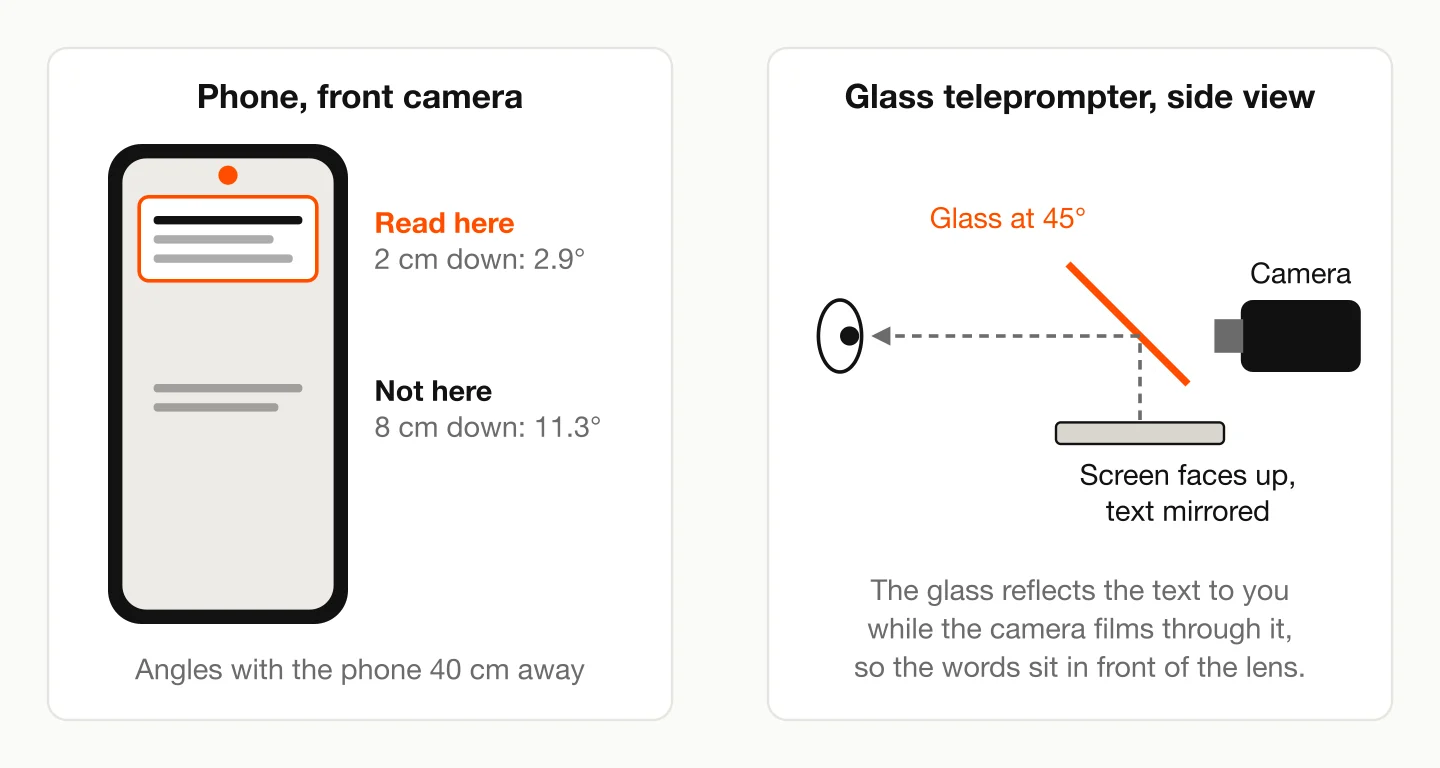
Whatever the setup, put the camera at eye level first. A teleprompter fixes where your eyes go, not a lens that looks up at you from a desk. The rest of the camera, light and sound setup is in our guide to recording a talking head video at home.
How fast should a teleprompter scroll?
As fast as you talk, which is personal. For reference, a study of English telephone conversations by Yuan, Liberman and Cieri (2006) measured an average of 196 words per minute, with individual conversations ranging from 111 to 291. That is two people chatting; your pace when speaking to a lens may be quite different, so measure it instead of copying a number:
- Take a paragraph of about 150 words from your script.
- Read it aloud at the pace you want on camera, with your normal pauses, and time it.
- Divide the words by the minutes. 150 words in 70 seconds is 150 ÷ (70 ÷ 60), about 129 words per minute.
- Set the teleprompter to that number, then nudge it 10 at a time during a test read.
If you find yourself chasing the text, slow it down; a scroll that is slightly slow is easy to keep up with, and pauses can be cut later. Put the reading line, the spot where you read, near the top of the prompt window so your eyes stay closest to the lens, and pause the scroll between sections rather than reading through a breath.
How to format a script for speaking
- One idea per sentence, one sentence per line or two. Long written sentences make you run out of breath mid-clause.
- Break lines where you would pause. Leave a blank line between paragraphs as a breathing point.
- Write the way you talk. Use contractions and "you". If you would not say a phrase to a friend, rewrite it.
- Write numbers and names the way you say them. "About two thousand" instead of "1,987", and spell a tricky name the way it sounds.
- Drop what does not survive speech. Brackets, "the former", semicolons and long lists read badly aloud.
- Mark your sections. Headings let you jump back to a section after a bad take instead of scrolling.
The bullet-point method: when not to read word for word
A full script suits explainers where wording matters: numbers, claims, a product name. For opinion pieces and stories, word-for-word reading often sounds flatter than talking. The alternative is chunking: the prompt shows only key phrases, such as "price went up, half stayed" or "mistake one: no deadline". You glance at the phrase, look at the lens, and say the sentence in your own words.
A common mix is to script the first and last lines word for word, since the hook and the call to action need exact wording, and use bullets for the middle. Chunking creates more pauses while you glance down. Those are easy to remove in the edit: in a text-based editor a pause is a gap in the transcript, and Remove Silences cuts them in one pass on any plan.
How to rehearse so it does not look rehearsed
- Read the whole script aloud twice before recording. Mark every line you trip on, then rewrite it. A line you stumble on in rehearsal will trip you on camera too.
- Record a 30-second test and watch it with the sound off. Look only at your eyes. If they sweep, narrow the column or move back.
- Look at the lens at the start and end of each sentence. Read in the middle, deliver the last words to the lens.
- Pause the scroll between sections. Take a breath, reset, start the next section clean.
- When you lose your place, stop and restart the sentence. Do not patch it mid-line. Full restarts are easy to cut, and Remove Bad Takes looks for exactly that pattern, keeping the last attempt. Our guide to cutting out mistakes shows the manual way.
Using the captionrich free teleprompter
Our free online teleprompter runs in the browser with no account, and the script is not uploaded; it autosaves in that browser only. It is built around the setups above:
- Float on a computer. In Chrome, Edge and Firefox 151 or newer, Float opens the script in a small always-on-top window (the browser's Document Picture-in-Picture feature). Drag it up against your webcam, make it narrow, and record in any app: your camera app, Zoom or OBS. In Safari on a Mac and on Android, Float uses picture-in-picture video and opens paused on the first line.
- Record with script on iPhone. iOS pauses floating video when the Camera app opens, so on an iPhone the page records instead: it uses the front camera with the script scrolling just under the lens, counts down from three, and lets you save the take to Photos. The script is not in the video.
- Pace and reading line. Speed is set in words per minute, from 40 to 400 (150 by default). Arrow up and down change it by 10. You can drag the reading line to where your eyes sit closest to the lens.
- Script tools. Paste or import a .txt file. A line starting with ## (or a line of ---) becomes a cue you can jump to.
- Display. Text size, four high-contrast themes, three fonts, centred or left-aligned text, Mirror for a glass rig, and fullscreen. Space or K plays and pauses.
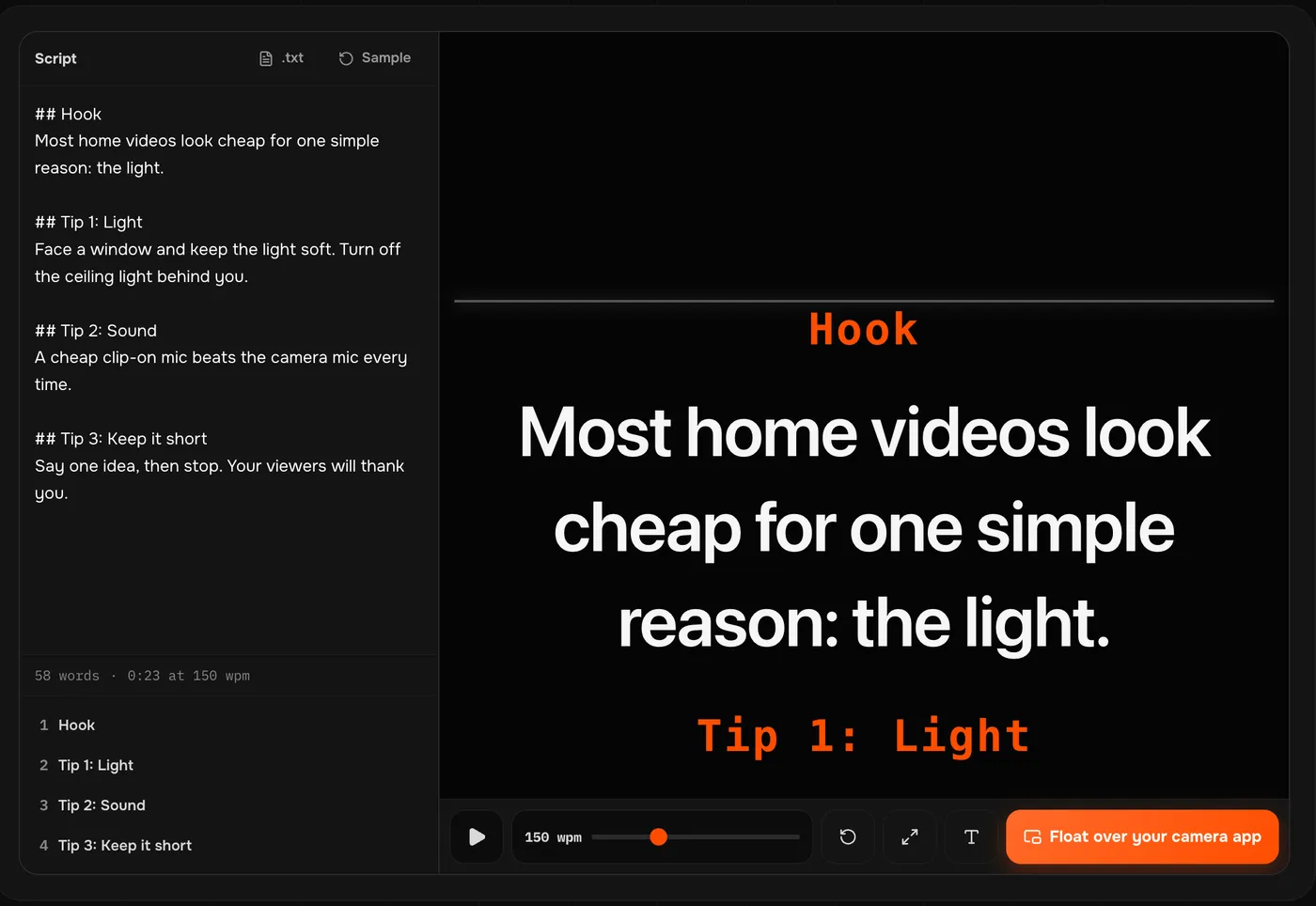
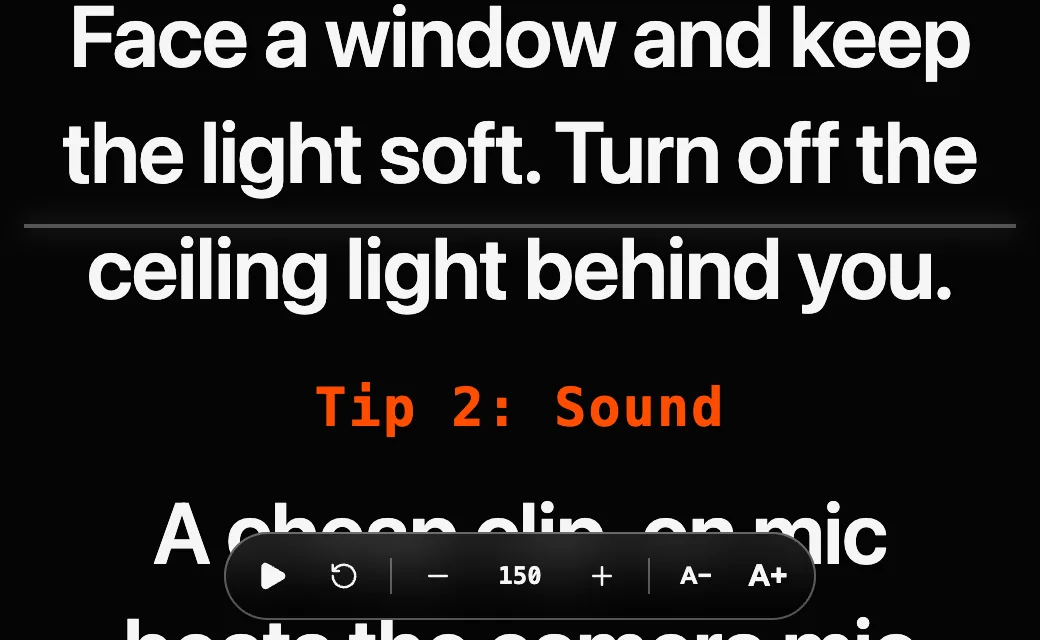
What it does not do: it has no voice-controlled scrolling, because it never listens to the microphone to steer the scroll, and on a computer or Android phone it never asks for the camera or microphone at all. You record with the camera app you already use.
After the take, the edit is the same as for any talking head video: cut the restarts and long pauses, then add captions.
Frequently asked questions
- How do news presenters read without looking like they are reading?
- They use a glass teleprompter mounted on the camera. The script is reflected on angled glass directly in front of the lens, so the text and the lens are in the same place, and the presenter stands well back from it.
- Can I use my phone as a teleprompter?
- Yes. Record with the front camera and keep the text at the top of the screen, next to the camera. On an iPhone, the captionrich free teleprompter records on the page with the script under the lens. On Android, it floats the script over your camera app.
- What speed should I set a teleprompter to?
- Your own speaking pace. Time yourself reading about 150 words aloud, divide by the minutes, and start there. The captionrich teleprompter starts at 150 words per minute and changes in steps of 10.
- How far should I sit from the teleprompter?
- As far as you can while still reading the text comfortably. Doubling the distance roughly halves how far your eyes move, so bigger text read from further away looks better than small text up close.
- How do I stop my eyes moving side to side?
- Narrow the text column to five to seven words per line, push it right under the lens, and sit further back. You can shrink the movement a lot, but at a desk you cannot remove it completely.
- Should I memorise my script instead?
- For short videos, memorising one or two sentences at a time and recording them as separate takes works well, and the cuts are easy in the edit. For long or technical scripts, a teleprompter is less tiring.
- Does the free teleprompter record my camera or microphone?
- Only on iPhone, when you choose Record with script, and the video stays on your phone. On computers and Android it never asks for camera or microphone access.